
Systems And Software
Music Industry CRM vs Spreadsheet vs General CRM: Which Setup Fits Your Team?
A neutral decision matrix comparing spreadsheets, general CRMs like HubSpot and Pipedrive, and a music-specific CRM across contact volume, team size, and workflow fit.

A spreadsheet, a general-purpose CRM, and a music-specific CRM all store contacts, but they are built for different jobs. The right pick depends on how many contacts you manage, how many people touch them, how repeatable the workflow is, how much automation you actually need, and how much of your contact list is really about music relationships — promoters, press, playlist curators — rather than a generic sales pipeline.
Who this is for
This is for an independent artist or artist manager who currently tracks industry contacts in a spreadsheet, a notes app, or nothing consistent at all, and is deciding whether to adopt a general-purpose CRM built for sales teams or a CRM built around music-industry relationships. It assumes you already have contacts worth organizing — the question is which structure fits how you actually work.
The three options, plainly
A spreadsheet is a blank grid you design yourself. It costs nothing beyond your time, and it can hold any column you want — including a "role" column for promoter, press, or venue. The tradeoff is that every relationship between a contact and a release, a show, or a follow-up date is a manual lookup or a copied value that only stays accurate if someone maintains it.
A general-purpose CRM — HubSpot, Pipedrive, and Salesforce Starter Suite are common examples — is built around a sales pipeline. In Pipedrive, a deal is the ongoing transaction pursued with a person or organization, tracked through pipeline stages until it is won or lost. That model is well-suited to a sales team closing deals, and paid plans can add email sync, sequences, lead routing, lead scoring, and AI-assisted email tools. These products use general contact, company, deal, and customizable fields rather than a built-in music-industry role list, so someone has to design that mapping.
A music-specific CRM — the category MNGR's contact tool sits in — starts from music-industry roles instead of sales stages. Contacts carry a role (venue, promoter, press, playlist curator, producer, label, publisher, agent, and more) and a relationship score, and they link directly to the artists, releases, and shows they're relevant to, without a separate pipeline layer standing between the contact and the work.
The decision matrix
Download the decision matrix diagram or use the table below across the six dimensions that actually change the answer.
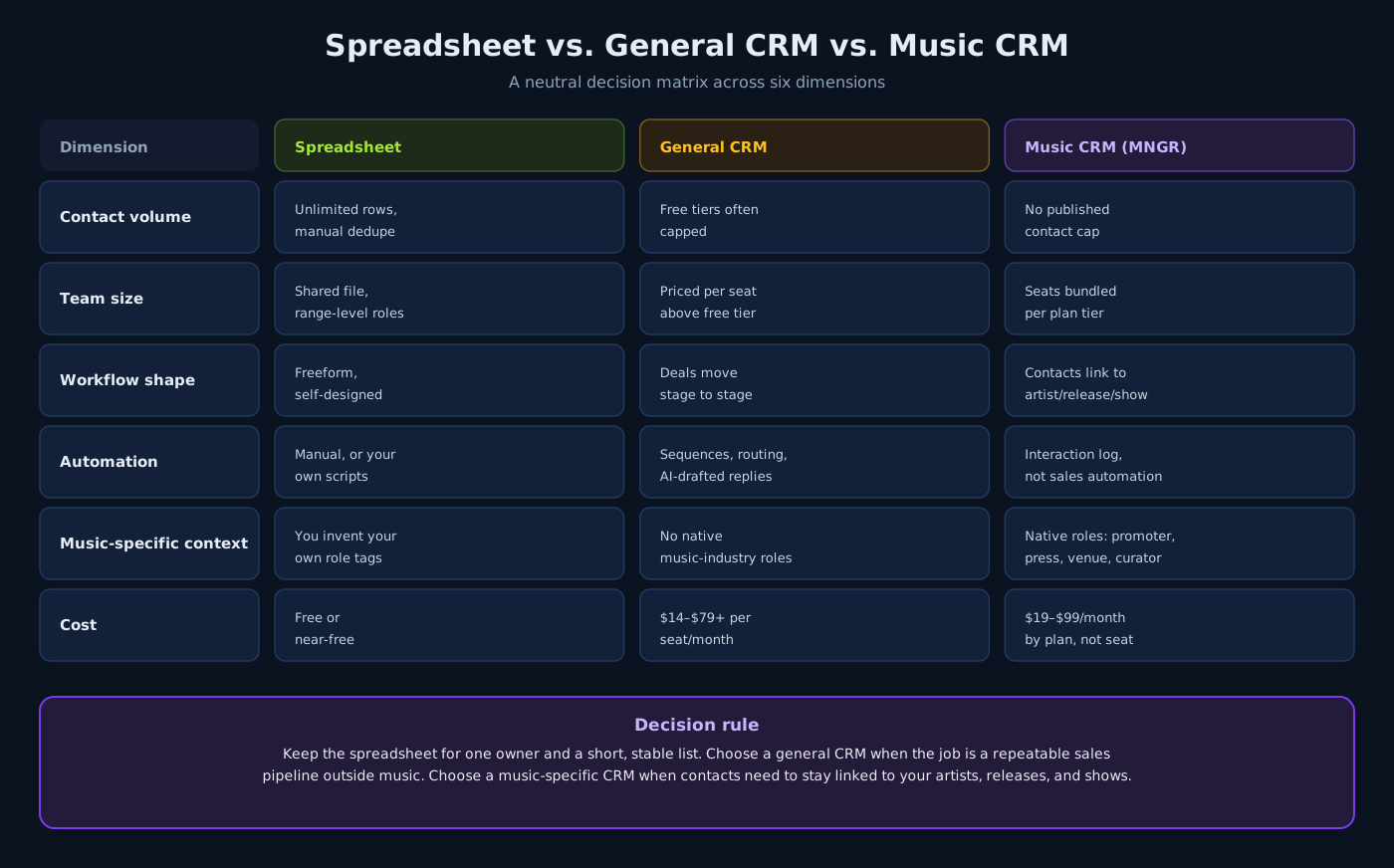
| Dimension | Spreadsheet | General CRM | Music-specific CRM (MNGR) |
|---|---|---|---|
| Contact volume | Unlimited rows; manual dedupe as it grows | Free tiers may be capped — HubSpot's free tools allow up to 1,000 contacts; paid plans raise product-specific limits | No published contact cap; scoped by team seats and storage per plan |
| Team size | Collaboration controls depend on the spreadsheet product; no CRM seat fee | Usually priced per user — HubSpot's free tools support up to 2 users; Pipedrive charges per seat, while Salesforce Starter starts at $25 per user/month | Team seats bundled per plan: 1, 3, or unlimited, not billed per seat |
| Workflow shape | Freeform — you design every column and formula | Built around a sales pipeline; deals move through stages to Won or Lost | Built around music record types; contacts link directly to artists, releases, and shows |
| Automation | Manual, or scripts and add-ons you maintain | Paid plans can include email sync, sequences, lead routing, lead scoring, and AI-assisted email tools | Interaction log and relationship score; not a sales or marketing automation platform |
| Music-specific context | You define your own tags for promoter, press, venue, and so on | No native music-industry roles; contacts map onto generic company and deal fields | Native roles for venue, promoter, press, playlist curator, label, publisher, agent, and more |
| Cost | Free or near-free; the cost is your time | $14–$79 per seat/month for Pipedrive when billed annually; $25 per user/month starting price for Salesforce Starter Suite | $19–$99/month by plan tier, not per seat |
Two rows deserve a second look before you decide. "Automation" is not a clean win for a music-specific CRM — general CRMs genuinely out-automate it for email sequences, lead scoring, and multi-step nurture campaigns, because that is the job they were built for. And "contact volume" is not a clean loss for general CRMs either — paid plans can raise the limits that make free tiers look small.
The decision rule
Keep the spreadsheet if one person manages a short, stable contact list and the "role" column is really just decoration — nobody is missing follow-ups or losing track of who's who.
Reach for a general-purpose CRM if the core of your work is closing deals through a repeatable sales process — sponsorships, licensing, brand partnerships — and you want sequence automation and lead scoring more than you want the contact tied back to a specific release or show.
Reach for a music-specific CRM if the reason you're tracking a contact is almost always a release, a show, or an artist relationship, and you want the contact record to preserve those links instead of rebuilding the context in a generic "company" field.
Common failure modes
- Buying automation you don't use. A general CRM's sequence and lead-routing tools are built for sales teams with a repeatable pipeline. If your actual workflow is "email the same twelve press contacts before each release," that automation mostly sits idle while you pay a per-seat price for it.
- Forcing music roles into sales fields. Mapping "promoter" and "playlist curator" onto a generic CRM's company or deal-stage fields works at first, then drifts as different people invent different conventions for the same role.
- Assuming a music-specific CRM replaces sales automation. If your team runs an actual outbound sales motion — sponsorship pipelines, licensing deals — a tool built around artists, releases, and shows will not replace a sales-stage pipeline, sequences, or lead scoring.
- Switching without checking the seat math. A general CRM's per-seat pricing can get expensive fast as a team grows; a plan-tier model can look cheaper per person but may cap artist profiles, seats, or storage. Check both before committing.
How MNGR fits
MNGR's contact tool assigns each contact a role from a fixed music-industry list — venue, promoter, press, playlist curator, producer, engineer, photographer, videographer, manager, label, publisher, lawyer, agent, brand, or influencer — plus a relationship score and a logged interaction history, and links each contact directly to the artists, releases, and shows it's relevant to. MNGR's plans run $19/month for Solo (one artist profile, one team seat), $49/month for Manager (up to five artist profiles, three team seats), and $99/month for Label (up to twenty artist profiles, unlimited team seats) — priced by plan tier rather than per seat.
MNGR is not a sales or marketing CRM: it does not do email sequences, lead scoring, campaign automation, or label-scale approvals and granular permissions. If your work is closing deals through a repeatable sales pipeline, a general CRM is still the better-built tool for that job. For contacts whose value is tied to your actual releases, shows, and artists, that's the gap a music-specific CRM is built to close.
Run your own contact list through the six-dimension matrix above — the honest answer depends on what you're actually tracking, not which category sounds more sophisticated. For a broader look at spreadsheets versus dedicated software across your whole roster, not just contacts, see Artist Management Spreadsheet vs Dedicated Software or how to build a follow-up system inside a music CRM.
Sources
Continue the workflow

Artist Management Spreadsheet vs Dedicated Software: When to Make the Switch
A neutral decision matrix for artist managers comparing spreadsheets with MNGR across setup, linked records, permissions, cost, and migration effort.
Read article
A Weekly Artist Management Meeting Agenda That Keeps Work Moving
A copyable 30-minute weekly meeting agenda for artist managers, built around decisions, owners, due dates, and exceptions across releases, shows, and finance.
Read article
How Artist Managers Organize Multiple Artists Without Missing Deadlines
A portfolio view, standard stages, one owner and approver per deliverable, and a weekly exception review keep a growing artist roster on schedule.
Read article